
AI Summary
Two-Factor Authentication (2FA) stops a stolen password from becoming a compromised site.
Every feature it offered, including two-factor authentication, XML-RPC protection, and login page CAPTCHA, is already in the main Wordfence plugin, which is free.
If the 2FA plugin only hooks the default WordPress login, users arriving through a custom form skip the second factor.
Basic summary
Two-Factor Authentication (2FA) stops a stolen password from becoming a compromised site. Five WordPress plugins lead this category, and they differ in ways that matter once real users are involved. This comparison covers what each one does, which authentication methods are worth requiring, how to get back in if you lose your authenticator, and how to match a plugin to the way your site actually runs.
Which WordPress 2FA Plugin Should You Install?
For a site with one or two administrators, Two Factor is enough. It is maintained by WordPress contributors, adds almost no weight, and covers time-based codes and backup codes.
Teams that need to require 2FA by user role should use WP 2FA by Melapress. Sites already running Wordfence should turn on the 2FA that ships with it rather than adding a second plugin. Sites that need SMS, WhatsApp, or Telegram codes should look at miniOrange 2FA.
If you are running Wordfence Login Security today, migrating is not optional. That plugin has stopped receiving updates.
What Changed With Wordfence Login Security
Wordfence retired the standalone Login Security plugin on or around July 1, 2026. Every feature it offered, including two-factor authentication, XML-RPC protection, and login page CAPTCHA, is already in the main Wordfence plugin, which is free. Wordfence is directing existing users to install the full plugin to keep receiving security updates.
This hits one group harder than others: agencies and developers who chose Login Security specifically to keep plugin stacks small on client sites. Swapping a lightweight 2FA plugin for a full firewall and malware scanner is a bigger change than it sounds, and it means testing on sites where nobody planned for it.
Wordfence is also retiring legacy SMS-based two-factor codes on roughly the same schedule. Sites still using SMS delivery through Wordfence need to move those users to an authenticator app.
Running 2FA that no longer receives updates is worse than running no 2FA at all, because it creates the impression of protection while the code stops being patched.
How the Five Leading 2FA Plugins Compare
The table answers what each plugin has. The sections below answer what those differences cost you in practice.
Why Setup Difficulty Matters More Than Feature Count
A plugin that gets fully configured protects more accounts than a plugin with twice the features that half your users abandoned partway through.
WP 2FA and miniOrange both ship a step-by-step wizard. That matters when the people enabling 2FA are contributors, shop managers, or clients rather than developers. Someone who has never scanned a QR code into an authenticator app needs to be told what an authenticator app is, and a wizard does that work for you.
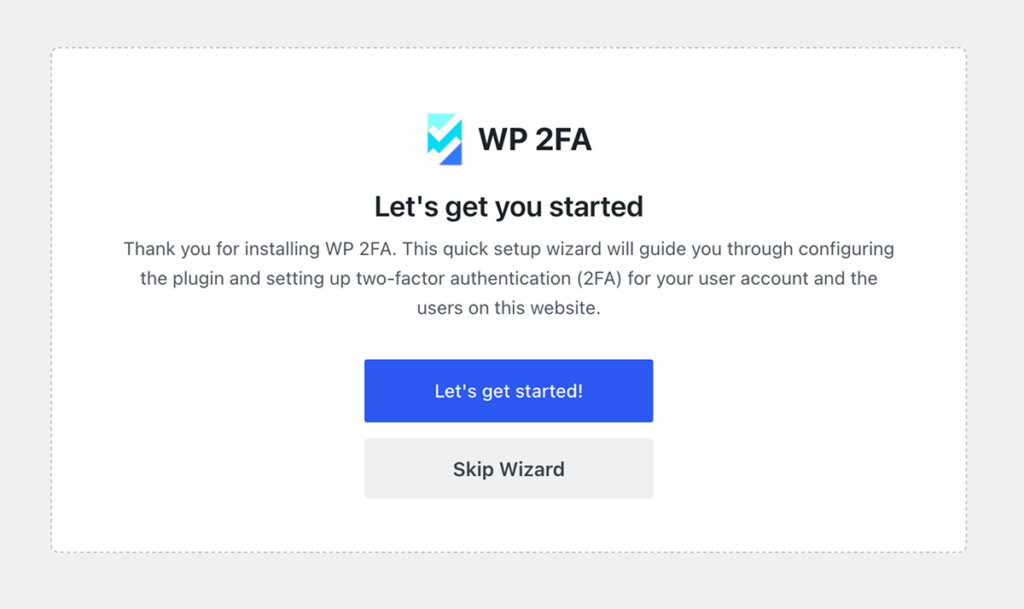
Two Factor and Wordfence expect the user to find the setting and understand it. For a solo administrator, that is fine. For a 20-person editorial team, it generates support requests.
TOTP, Passkeys, or Email Codes: Which Method Should You Require?
Time-based one-time passwords (TOTP) are the baseline. A user scans a QR code into Google Authenticator, Microsoft Authenticator, 1Password, or any compatible app, and the app generates a rotating six-digit code. Every plugin here supports it.
Passkeys are the meaningful upgrade. Instead of a shared secret, the browser stores a cryptographic key that is unlocked with a fingerprint, face scan, or device PIN. Because the key never leaves the device and is tied to your specific domain, a phishing page cannot capture anything reusable. WP 2FA lists passkey and YubiKey support among its authentication methods.
Email-delivered codes are the weakest option, and the reason is structural. Your WordPress email address is usually also your password reset channel. An attacker who controls that inbox can request a reset and receive the second factor at the same address. The second factor stops being independent.
SMS sits in the middle. It is better than nothing and worse than an app, because SIM swap attacks move a phone number to an attacker without touching the account.
What Happens When You Enforce 2FA on a Team Overnight
Turn on mandatory 2FA for 40 contributors with no warning and you get 40 people locked out of the dashboard on Monday morning, most of whom will contact whoever administers the site rather than reading the setup screen.
A grace period prevents that. The administrator sets a window, measured in hours or days, during which users can log in normally while they configure their authenticator. Once the window closes, 2FA becomes required.
WP 2FA, Wordfence, and miniOrange all offer this. The Simba plugin gates enforcement behind its premium version, which means the free version lets users opt into 2FA but does not let you require it. For a personal blog, that distinction does not matter. For an agency applying a security standard across client sites, it is the whole point.
Pair the grace period with an announcement that names the deadline and links to setup instructions. The plugin handles the technical enforcement. It does not handle the communication.
How to Get Back In If You Lose Your Authenticator
This is the failure that actually happens. A phone gets replaced, wiped, or dropped in a lake, and the authenticator app goes with it.
Backup codes are the answer, and they only work if you generate them during setup. Every plugin here offers them except the free version of the Simba plugin. Store them somewhere that is not the site you are protecting: a password manager entry, a printed copy, or an encrypted note.
If backup codes were never generated, there is a last-resort path that requires file-level access to your hosting account. Rename the plugin’s folder using SFTP or your control panel’s file manager, which deactivates it. Log in without the second factor, reconfigure 2FA on your new device, then rename the folder back.
That recovery method is a good argument for hosting where you can reach the filesystem quickly and reach a human when you cannot. It is also why account-level 2FA on your hosting control panel should use a different device or method than your WordPress login. Losing both at once removes every door.
Will 2FA Break Your WooCommerce or Membership Login?
Plenty of sites never send users to wp-login.php. WooCommerce has its own account pages. Membership plugins like Ultimate Member and MemberPress build front-end login forms. Some sites hide wp-admin entirely.
If the 2FA plugin only hooks the default WordPress login, users arriving through a custom form skip the second factor. The protection quietly does not apply.
miniOrange supports WooCommerce login flows and a range of membership plugins. The Simba plugin provides a front-end shortcode, which is the right tool when wp-admin is hidden from members. WP 2FA describes this as third-party plugin compatibility. Before you roll out, log in through every path a real user takes, including the checkout account page, and confirm the prompt appears.
What the Paid Tiers Actually Buy You
Free tiers cover TOTP and backup codes across the board. Money buys four things: hardware key support, trusted device memory, SMS or messaging gateways, and direct support.
WP 2FA’s premium edition adds hardware keys, SMS delivery through providers like Twilio, white-label styling, and one-to-one email support. Free edition support runs through the WordPress.org forums only. Current pricing starts around $79/year with a 30-day money-back guarantee, and multisite networks require a license covering every site on the network.
miniOrange gates the user count on its free plan and unlocks unlimited users, trusted devices, custom branding, and multisite on premium. One practical friction point: miniOrange does not publish plan costs on a public page, so budgeting usually means installing the plugin and creating an account first.
Wordfence is the outlier. Its 2FA is free with no user limit, and paid tiers buy firewall rule and malware signature updates rather than authentication features.
Which Plugin Fits Your Site
Single-administrator business site. Install Two Factor. Generate backup codes. You are done in five minutes and you have added no meaningful weight to the site.
WooCommerce store with staff accounts. WP 2FA free tier, enforced on administrator and shop manager roles, with a grace period. Test the login through the WooCommerce account page.
Membership or community site with customer logins. miniOrange if members need SMS or messaging-app delivery, or the Simba plugin if you need a front-end shortcode because wp-admin is hidden.
Agency managing multiple client sites. WP 2FA premium, for policy consistency, white-label styling, and support you can escalate to when a client locks themselves out at 11pm.
Site already running Wordfence. Use the built-in 2FA. Adding a second authentication plugin creates conflicting login hooks for no benefit.
Where 2FA Stops and Server Security Begins
Two-factor authentication protects one door. It does nothing about an outdated PHP version, a vulnerable plugin with a known exploit, a compromised control panel, or malware already sitting in your file system.
That gap is worth naming, because a locked login screen on an unpatched server is a false sense of security. Server-level protection covers what the plugin cannot: patch management, malware detection that inspects file behavior rather than just file names, isolation between accounts, and network-edge response when a platform-wide vulnerability is disclosed.
Pair the plugin with hosting that handles the infrastructure layer. Hosting for WordPress at InMotion Hosting includes server-level caching, automatic updates, and WordPress-specific hardening, backed by 24/7 human support from engineers who have worked through real compromises. For teams running multiple client sites, Managed Hosting adds patching and monitoring so security updates do not depend on someone remembering.
Set up 2FA this week. Then look at what is running underneath it.